
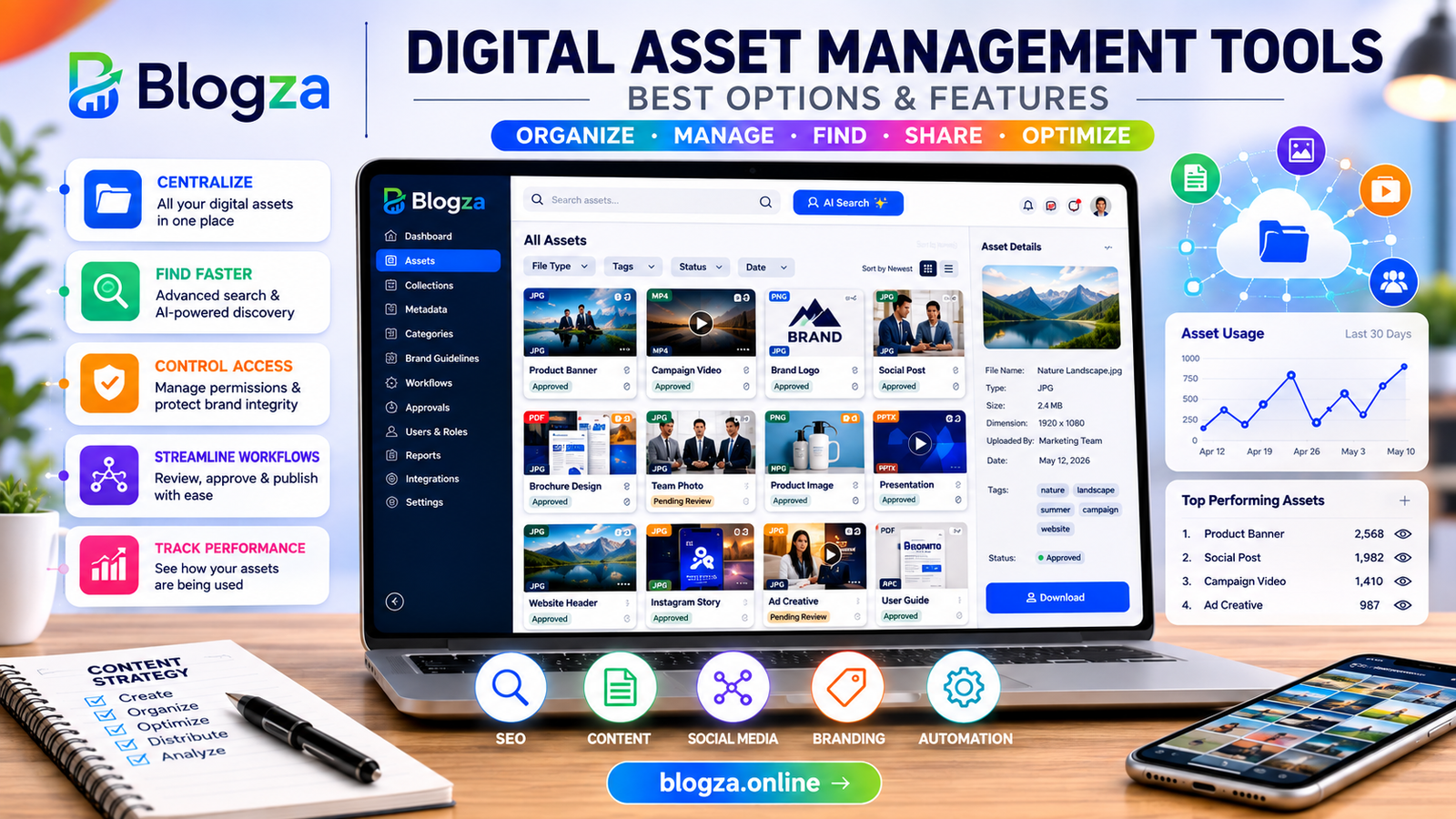
Compare digital asset management tools, key features, benefits, AI capabilities, and practical tips for choosing the right DAM platform.
Table of Contents
What Is Digital Asset Management?
Digital asset management is the organized process of storing, classifying, finding, controlling, sharing, and maintaining digital content throughout its lifecycle. Digital assets can include photographs, videos, audio files, graphics, PDFs, presentations, documents, logos, illustrations, product images, templates, and other business content.
A digital asset management tool is the software that makes this process manageable at scale. Instead of relying entirely on ordinary folders or cloud storage, a DAM system adds capabilities designed specifically for content operations, such as metadata, advanced search, version control, permissions, approvals, asset expiration, sharing, and workflow management.
Adobe describes DAM as a system for managing digital files throughout their lifecycle, from creation and distribution through reuse, archiving, and retirement.
The important distinction is that DAM is not simply “a place to store files.” It is a system for making valuable content findable, usable, governed, and reusable.
Why Digital Asset Management Tools Matter
Content has become a central part of modern digital marketing. A single campaign can require website images, social media graphics, email banners, videos, advertisements, downloadable resources, product photography, presentations, and multiple localized versions.
Without a structured system, these assets can become fragmented across computers, email attachments, cloud folders, CMS platforms, and collaboration tools.
A DAM platform creates a centralized content environment. Marketing teams can locate approved assets, creative teams can manage versions, brand managers can control usage, and external partners can receive selected files without gaining access to an entire library.
This becomes particularly valuable when several departments work on the same campaigns. Instead of asking, “Which logo is the latest one?” or “Where is the approved product image?”, users can search the DAM using metadata, tags, file attributes, collections, or other discovery features.
How Digital Asset Management Tools Work
A typical DAM workflow begins when a digital asset is uploaded into the system. The asset can then be classified with information such as title, description, keywords, campaign, product, creator, location, usage rights, or other business-specific metadata.
The platform indexes this information so users can find assets later.
A basic workflow looks like this:
Upload → Organize → Add Metadata → Review → Approve → Store → Search → Share → Publish → Analyze → Archive or Retire
Modern platforms can automate parts of this process. For example, AI may assist with tagging, classification, visual search, duplicate detection, or metadata enrichment. Cloudinary’s current DAM documentation describes capabilities including metadata, tags, search, sharing, access control, and AI-supported asset analysis.
The exact workflow depends on the organization. A small marketing team may only need centralized storage, search, sharing, and basic permissions. A global enterprise may require complex approval workflows, rights management, localization, APIs, analytics, and integrations with its wider technology stack.
Essential Features to Look For
Not every DAM tool has the same capabilities. Before choosing a platform, evaluate the features against your actual content workflow.
Asset Organization and Metadata
Good organization is the foundation of an effective DAM system. Look for customizable metadata fields, tags, categories, collections, folders, taxonomies, and filtering.
Metadata should reflect how your team actually searches for content. For example, an ecommerce company might organize assets by product name, SKU, product category, campaign, market, language, season, and usage rights.
A useful metadata structure is more valuable than simply creating hundreds of folders.
Advanced Search
Search is one of the most important DAM capabilities because a large library is only useful when people can find the right asset quickly.
Look for full-text search, metadata filters, tags, visual search, saved searches, collections, and AI-assisted discovery where appropriate.
Some modern platforms are moving toward conversational and AI-powered asset discovery. Adobe Experience Manager Assets, for example, currently promotes conversational search and AI-supported tagging and classification capabilities.
Version Control
Teams frequently create multiple versions of the same asset. Without version control, employees may download an older file and unknowingly use it in a campaign.
Version management allows organizations to identify the current approved version while retaining an appropriate history of previous versions.
This is particularly useful for logos, advertising creatives, product photography, presentations, legal documents, and campaign assets.
Permissions and Access Control
Not every user should have access to every file.
A strong DAM solution should allow administrators to control permissions according to users, teams, roles, folders, collections, or individual assets.
This is important when working with confidential material, unreleased campaigns, licensed photography, customer-generated content, or assets that have specific distribution restrictions.
Approval Workflows
Creative and marketing teams often need several people to review content before publication.
A DAM can help organize briefing, review, feedback, approval, revision, and final publication. Bynder, for example, describes DAM workflows that support briefing, proofing, approval, feedback, and version management.
This reduces the need to manage approvals through long email chains.
Digital Rights and Expiration Management
An asset can be technically available while no longer being legally or strategically appropriate to use.
For example, a stock photograph may have a limited license period. A campaign image may only be approved for a particular market. A promotional banner may become outdated after an offer expires.
DAM governance features can help track rights, expiration dates, approvals, and usage restrictions. Adobe’s current DAM documentation highlights permissions, expiration dates, rights management, and governance workflows.
Integrations and APIs
A DAM should fit into the existing digital marketing ecosystem rather than becoming another isolated platform.
Depending on the business, useful integrations may include:
- Content management systems
- Adobe Creative Cloud
- Design tools
- Marketing automation platforms
- Ecommerce platforms
- Product information management systems
- Social media workflows
- Analytics platforms
- Cloud storage
- Collaboration software
- APIs and developer tools
For example, Adobe Experience Manager Assets integrates with Adobe and third-party applications and can connect DAM content with CMS workflows.
Analytics and Asset Performance
DAM analytics can help organizations understand how assets are being used.
Useful measurements may include downloads, searches, shares, asset usage, expiration activity, and content performance where integrations make this possible.
The goal is not simply to count files. The more valuable question is: Which assets are actually contributing to marketing and business outcomes?
Adobe’s current platform documentation includes asset usage insights, reporting, and information about frequently searched content.
Popular Digital Asset Management Tools
The best DAM tool depends on company size, workflow complexity, budget, technical requirements, and the types of assets being managed. There is no universally best platform for every organization.
Adobe Experience Manager Assets
Adobe Experience Manager Assets is positioned as an enterprise DAM solution within the Adobe ecosystem. Its current capabilities include asset discovery, metadata, governance, permissions, workflows, analytics, integrations, and AI-supported asset management.
It can be particularly relevant for larger organizations already using Adobe Experience Cloud, Creative Cloud, or related Adobe products.
Its broad functionality can also mean that implementation and governance require more planning than a lightweight DAM solution.
Bynder
Bynder is a cloud-based DAM platform focused on centralizing brand, campaign, and product-related assets. Its platform includes organization, search, collaboration, workflows, permissions, and integrations.
It can be considered by organizations that need structured brand asset management and collaboration across internal teams, agencies, and other stakeholders.
Cloudinary
Cloudinary Assets combines DAM capabilities with a strong emphasis on media workflows, integrations, APIs, transformations, and digital delivery. Its current documentation highlights asset organization, metadata, search, sharing, access controls, AI capabilities, and media transformations.
It can be especially relevant for organizations managing large volumes of images and video and connecting assets directly to digital experiences.
Canto
Canto provides a DAM platform designed around centralized content management, search, collaboration, sharing, workflows, and distribution. Its current platform includes AI-powered search and content-management capabilities.
It may be worth evaluating for marketing and creative teams that want a dedicated DAM environment without necessarily adopting a broader enterprise experience platform.
Digital Asset Management vs Cloud Storage
A common question is whether a business really needs DAM when it already uses cloud storage.
Cloud storage is excellent for storing and accessing files. However, DAM is designed specifically around the lifecycle and governance of business content.
A basic storage solution may organize files using folders and permissions. A DAM can add metadata, advanced discovery, approvals, rights management, versioning, asset expiration, workflows, brand controls, analytics, and distribution capabilities.
The choice therefore depends on complexity.
If a small team has a few hundred files and a simple workflow, cloud storage may be sufficient. If multiple teams are managing thousands of assets across campaigns, markets, products, and external partners, dedicated DAM software can provide considerably more structure.
How DAM Supports Digital Marketing
DAM has a direct connection to content marketing because marketers constantly create and reuse visual and multimedia content.
A content marketing team may use a DAM to organize:
- Blog images
- Infographics
- Lead magnets
- Videos
- Case-study graphics
- Social media designs
- Email visuals
- Webinar materials
- Presentation templates
- Brand assets
This can make content production more consistent and reduce unnecessary recreation of existing assets.
For SEO, DAM does not replace keyword research, technical SEO, content optimization, internal linking, structured data, or search analytics. Instead, it supports the content operations layer behind those activities.
For example, a marketing team publishing an SEO article may need several original images, diagrams, screenshots, and social assets. A DAM can make those files easier to locate, manage, update, approve, and reuse.
DAM, AI Search, AEO and GEO
AI is changing how people discover information and how marketing teams create content. DAM platforms are also incorporating AI into asset organization and discovery.
AI-supported DAM features can help with tasks such as:
- Automatic tagging
- Image recognition
- Visual search
- Duplicate detection
- Metadata enrichment
- Conversational asset discovery
- Content classification
- Asset recommendations
- Automated transformations
However, AI-powered DAM search should not be confused with Google AI Search, AEO, or GEO.
A DAM helps an organization manage its own content assets. SEO, AEO, and GEO focus on making useful information understandable and discoverable across search engines and AI-driven discovery experiences.
The two areas can complement one another. A well-managed asset library gives marketers better access to accurate, approved visual content that can support webpages, articles, product pages, social content, and digital campaigns.
Google’s current guidance continues to emphasize helpful, reliable, people-first content rather than content created primarily to manipulate rankings.
DAM for Social Media Marketing
Social media teams frequently need multiple versions of the same creative.
A campaign might require square images, vertical videos, story graphics, thumbnails, paid-ad variations, and platform-specific formats.
A DAM can help the social team find approved assets and maintain a central source for campaign files. Instead of downloading an image from an old email or asking a designer to resend a file, the marketer can access the approved version from the organization’s asset library.
This becomes even more valuable when social media activity is managed by multiple employees, freelancers, agencies, or regional teams.
How to Choose the Right DAM Tool
Start with the workflow rather than the software.
Ask your team:
What problems are we trying to solve?
If the main problem is finding files, prioritize search and metadata. If the problem is inconsistent branding, prioritize governance and approvals. If the problem is content delivery, examine integrations, APIs, transformations, and publishing workflows.
Then evaluate the following:
- Number and type of assets
- Current storage locations
- Number of users
- Internal and external users
- Metadata requirements
- Search requirements
- Approval workflows
- Version control
- Rights management
- Integrations
- API availability
- Security requirements
- Analytics
- Mobile access
- Scalability
- Implementation requirements
- Total cost of ownership
A useful evaluation method is to create a shortlist and test each platform using your own real assets.
Upload a representative sample. Ask several employees to search for specific files. Test permissions, approval workflows, metadata, sharing, downloads, and integrations.
The best DAM is not necessarily the platform with the longest feature list. It is the one that solves your team’s actual content-management problems without creating unnecessary complexity.
Common Digital Asset Management Mistakes
Treating DAM as Just File Storage
Buying a DAM without creating a useful taxonomy and metadata strategy can leave teams with the same organizational problems they had before.
The software matters, but governance matters too.
Creating Too Many Folders
An enormous folder hierarchy can make navigation difficult. A combination of logical folders, metadata, tags, filters, and search is often more flexible.
Ignoring Permissions
If everyone has unrestricted access to every asset, sensitive or unapproved content can easily be misused.
Set permissions according to actual responsibilities.
Failing to Manage Asset Expiration
Expired campaigns, licenses, outdated product images, and old brand assets should not remain equally discoverable without context.
Establish rules for reviewing and retiring assets.
Choosing Features Instead of Workflow Fit
A platform can have impressive AI, analytics, and integrations while still being a poor fit for a small team.
Choose based on business requirements rather than marketing claims.
Neglecting Training
A DAM only creates value when people actually use it correctly.
Provide clear guidance on naming, metadata, uploading, approval, sharing, and asset retirement.
Latest Digital Asset Management Trends
AI-Powered Asset Discovery
AI-assisted search and automatic tagging are becoming increasingly important in DAM platforms. The objective is to reduce manual organization and help users find relevant content more naturally.
Conversational Search
Traditional search depends heavily on keywords and filters. Newer DAM experiences increasingly allow users to describe what they want in natural language.
This can make large libraries easier to navigate, although organizations should still maintain high-quality metadata and taxonomy.
Automated Content Transformation
Modern digital campaigns require assets in different dimensions, formats, languages, and channels. DAM platforms are increasingly connecting asset management with automated transformations and delivery.
Cloudinary and Adobe both currently highlight automated media transformation and activation capabilities.
Stronger Governance
As content volumes grow, organizations need better controls around brand consistency, rights, approvals, duplicate assets, and outdated files.
Governance is therefore becoming a core DAM requirement rather than an optional administrative feature.
DAM as a Content Operations Hub
DAM is increasingly connected to CMS, ecommerce, PIM, creative tools, analytics, marketing platforms, and APIs.
This shifts DAM from being a passive repository toward becoming part of the broader content supply chain.
FAQs About Digital Asset Management Tools
What are digital asset management tools?
Digital asset management tools are software platforms used to organize, store, search, manage, share, govern, and distribute digital files such as images, videos, documents, graphics, and brand assets.
What is the best digital asset management tool?
There is no single best DAM platform for every organization. Adobe Experience Manager Assets, Bynder, Cloudinary, and Canto are examples of established platforms, but the right choice depends on your team size, content volume, workflow, integrations, budget, and governance requirements.
Is DAM the same as cloud storage?
No. Cloud storage primarily provides file storage and access, while DAM adds content-specific capabilities such as metadata, advanced search, approvals, version control, rights management, asset expiration, workflows, and distribution.
Do small businesses need a DAM?
Not every small business needs dedicated DAM software. If the content library is small and workflows are simple, cloud storage may be enough. A DAM becomes more valuable as asset volume, users, campaigns, collaboration, and governance requirements increase.
How does AI improve digital asset management?
AI can assist with tagging, classification, visual search, duplicate detection, metadata enrichment, recommendations, and conversational discovery. The exact AI capabilities vary significantly between DAM platforms.
Can DAM tools help with SEO?
Indirectly, yes. DAM tools do not perform SEO by themselves, but they help marketing teams organize and manage the images, videos, graphics, and other content used in SEO campaigns. They can support more efficient content production and reuse.
What should I look for in DAM software?
Start with search, metadata, organization, permissions, version control, approval workflows, rights management, integrations, APIs, analytics, scalability, security, and ease of use. Prioritize features that solve your team’s actual workflow problems.
Is digital asset management a useful digital marketing skill?
Yes. Understanding DAM can be useful for digital marketers, content managers, brand specialists, creative teams, marketing operations professionals, and digital asset managers. Knowledge of metadata, taxonomy, content workflows, governance, and marketing technology can complement broader digital marketing skills.
Conclusion
Digital asset management tools help organizations move beyond scattered folders and disconnected content libraries. A well-implemented DAM provides a central environment where teams can organize, discover, approve, protect, share, reuse, and analyze digital content.
The most important decision is not simply choosing a platform with the most features. Start by understanding your content workflow. Identify where files are currently stored, how people search for them, where approval problems occur, what rights need to be controlled, and which marketing systems need to connect with the DAM.
For smaller teams, a straightforward platform may be enough. Larger organizations may need enterprise capabilities such as advanced governance, APIs, AI-assisted discovery, automated transformations, analytics, and deep integrations.
As digital marketing becomes increasingly content-intensive, effective asset management is becoming an important part of content operations. The right DAM system can help marketing and creative teams spend less time searching for files and more time creating useful, consistent, and effective digital experiences.



[…] best digital asset management platform for enterprise marketing is not necessarily the platform with the longest feature list. It is the […]