
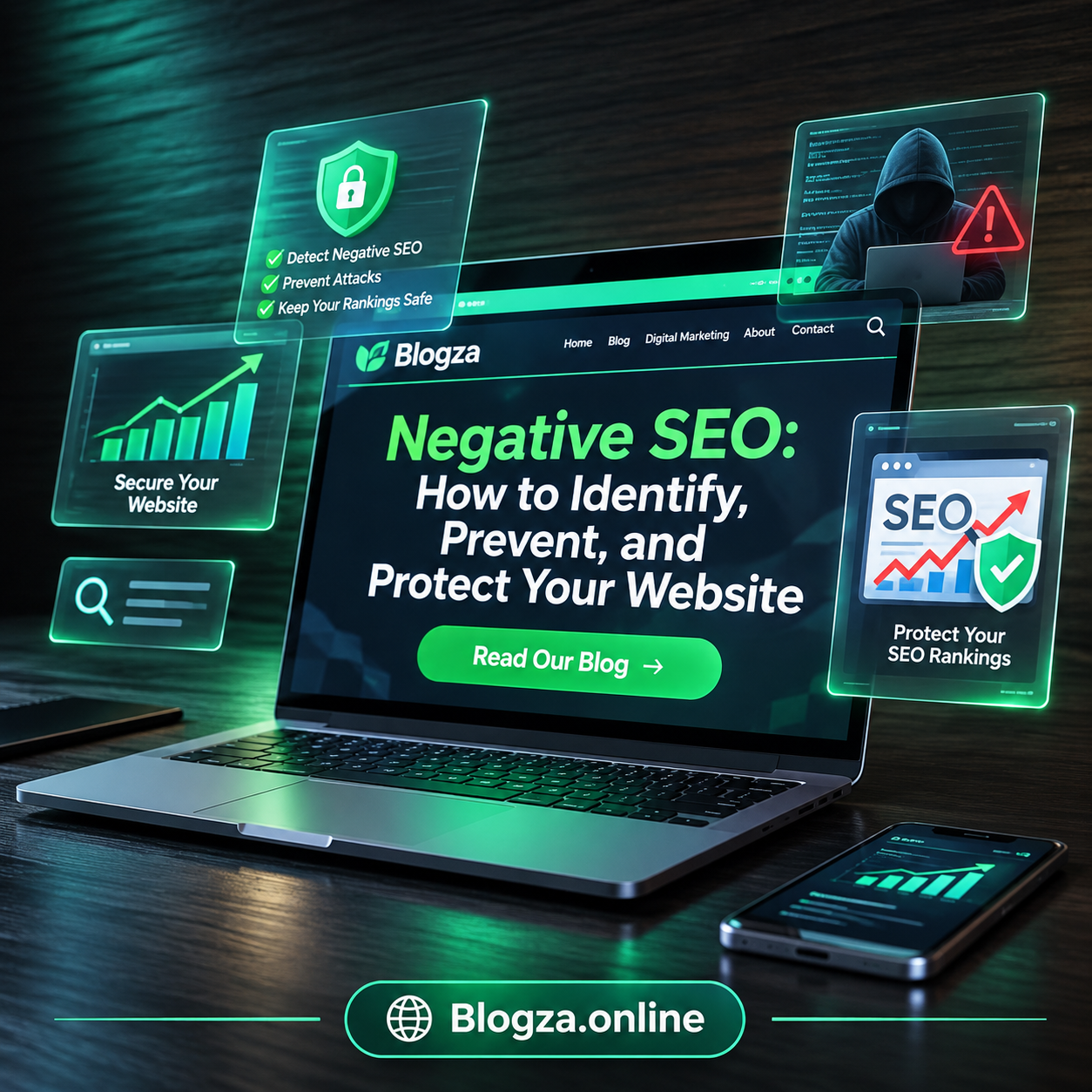
Learn what negative SEO is, how to detect suspicious backlinks, protect your website, prevent attacks, and recover using practical SEO tools.
Table of Contents
What Is Negative SEO?
Negative SEO refers to deliberate attempts to harm another website’s search engine visibility by using manipulative techniques that target its rankings, reputation, content, or technical performance. Instead of improving their own website, someone attempting negative SEO tries to create problems for a competing website.
These activities may include building large numbers of unnatural backlinks to a target domain, copying its content across other websites, creating fake spam reports, or attempting to compromise the website itself. Some activities overlap with black-hat SEO, spam, cybersecurity threats, and online reputation abuse.
For example, imagine a small online clothing store that receives an unexpected increase in links from unrelated, low-quality websites. The owner might suspect negative SEO. However, those links alone are not proof of an attack, because automated websites, scraping, and ordinary web activity can also generate unwanted backlinks.
The important distinction is intent versus evidence: negative SEO describes an attempt to cause harm, but an unusual SEO pattern does not establish who caused it or whether it affected rankings.
Why Negative SEO Matters for Website Owners
Organic search can be an important source of customers, enquiries, and revenue. If a website experiences a real security breach, widespread content theft, or another problem that affects search visibility, the consequences can extend beyond rankings.
A local service provider may lose enquiries if important pages become inaccessible. An e-commerce business may lose sales if malicious changes redirect visitors away from product pages. A blog may face copyright disputes or confusion if other websites republish its articles without permission.
Negative SEO also matters because fear of attacks can lead website owners to make unnecessary changes. For instance, removing legitimate backlinks or disavowing hundreds of harmless domains without proper investigation may waste time and distract from more likely causes of declining traffic.
A practical response focuses on protecting the website, collecting evidence, and diagnosing measurable problems. This approach is more effective than reacting to every unfamiliar link or assuming that a competitor is responsible for a ranking change.
Common Types of Negative SEO
Negative SEO can take different forms. Some involve external websites and backlinks, while others target a website’s content, reputation, or security. Understanding these categories makes it easier to identify what deserves attention.
Toxic or Unnatural Backlinks
Backlinks are links from other websites pointing to your website. Relevant, editorially earned links can help search engines discover and understand your content. However, link schemes intended to manipulate rankings violate Google’s spam policies.
In a potential negative SEO scenario, someone might create numerous links to a competitor’s website from unrelated blogs, spam pages, automated directories, or pages containing suspicious anchor text. These links may look unnatural when reviewed in a backlink analysis tool.
Nevertheless, a large number of suspicious backlinks does not automatically mean your website will be penalized. Google says its systems work to prevent actions on third-party sites from negatively affecting other websites. Investigate the broader pattern and check Search Console before taking action. Search Console Help+1
Content Scraping and Duplicate Content
Content scraping occurs when someone copies articles, product descriptions, images, or other material from your website and republishes it elsewhere without permission. This can create confusion about the original source, cause copyright concerns, and make it harder to maintain control over your published work.
For example, a digital marketing blog publishes a detailed guide to local SEO. Another website copies the article and publishes it with minimal changes. The original author may worry that Google will rank the copied page instead.
Duplicate content does not automatically lead to a Google penalty. Search engines can identify similar pages and choose which versions to show. If your work is copied, document the original publication date, preserve drafts and source files, and inspect the competing page. When appropriate, you can contact the website owner or use the relevant copyright complaint process.
Website Hacking and Malicious Code
Website hacking is a more direct threat because an attacker may gain access to the website rather than simply create unwanted external links. They might insert spam pages, add hidden links, modify existing content, redirect visitors to unrelated websites, or inject malicious scripts.
WordPress websites can be exposed when administrators use weak passwords, outdated plugins, vulnerable themes, or compromised hosting accounts. These are general security risks and do not necessarily indicate a targeted negative SEO campaign.
If a website suddenly displays unfamiliar pages or redirects visitors unexpectedly, investigate the possibility of a security breach. Google Search Console may report security issues, while your hosting provider or security plugin may help identify suspicious files and account activity. A compromised website requires security remediation, not just backlink analysis. Google for Developers+1
Fake Reviews and Online Reputation Attacks
A business may experience fake negative reviews, misleading complaints, impersonation, or false claims published on third-party platforms. Although these actions are not necessarily direct Google organic ranking attacks, they can harm trust and influence potential customers.
For example, a local web design agency might receive several reviews from people who have never used its services. Prospective customers may see the ratings before visiting the company website, which could reduce enquiries.
Businesses should monitor the platforms where customers discover them, document reviews that appear to violate platform policies, and report them through the appropriate channels. Respond professionally to genuine criticism and avoid accusing reviewers of wrongdoing without evidence.
Fake Spam Reports and Competitor Complaints
Some website owners worry that competitors can submit false reports to Google to cause a penalty. Anyone may report suspected spam, but a report is not the same as an automatic penalty. Google explains that reports help its systems understand search quality issues and may contribute to action against policy violations. Google for Developers+1
If your site receives a manual action, focus on the specific issue identified in Search Console. Review your own pages, backlinks, and SEO practices. Do not assume that a competitor’s complaint caused the problem, because a manual action can reflect actual policy violations regardless of who reported them.
How Negative SEO Works
Negative SEO attempts generally target one or more areas that influence a website’s online presence: external link signals, content originality, website security, or customer trust. The exact mechanism and outcome depend on the activity involved.
Consider a small business website that starts losing organic traffic. The owner notices a sudden increase in unrelated backlinks and suspects a competitor. At the same time, the website has recently changed its URL structure and several important pages are returning errors.
If the owner focuses only on backlinks, they may overlook the actual technical issue. A better investigation compares the dates of the traffic decline, backlink changes, indexing problems, website updates, and any manual action or security alerts.
This is why negative SEO investigations should follow a process rather than rely on one suspicious metric. Establish what changed, determine whether the change is connected to a measurable search or security problem, and then take proportionate action.
Signs That Your Website May Be Under Attack
No single warning sign proves that negative SEO is happening. However, several unusual changes occurring together may justify a closer investigation.
Sudden Changes in Backlink Patterns
Use a backlink analysis tool to compare recent referring domains with your historical profile. Look for unusual patterns, such as many unrelated domains appearing within a short period or repeated keyword-rich anchor text across suspicious pages.
Do not classify a link as harmful merely because the linking site has a low authority score, foreign-language content, or an unfamiliar domain name. Websites naturally receive links from a wide range of sources, and third-party tool scores are not Google penalties.
Unexpected Organic Traffic Declines
Check Google Search Console’s Performance report for changes in clicks, impressions, average position, and affected queries. Compare the decline with previous periods and look for changes across individual pages, devices, and countries.
A traffic decline may result from seasonality, changes in search demand, stronger competitors, indexing problems, website migrations, or changes in Google’s ranking systems. Google recommends investigating these possibilities instead of assuming that a ranking drop is caused by spam attacks. Google for Developers+1
Unfamiliar Pages or Redirects
Search for unexpected URLs on your domain and inspect pages that appear in Search Console. Watch for spam terms, unknown landing pages, suspicious redirects, or content that you did not publish.
These signs may indicate compromised WordPress credentials, a vulnerable plugin, unauthorized access, or another technical issue. If you find evidence of hacking, contact your hosting provider and begin the security recovery process immediately.
Manual Actions or Security Alerts
Open Google Search Console and review the Manual Actions and Security Issues reports. A manual action indicates that Google has identified a violation of its spam policies, while a security alert may indicate problems such as hacked content or malware.
Neither report should be interpreted as proof that a competitor is responsible. Instead, use the reported details to identify what needs fixing and follow Google’s recovery guidance. Search Console Help+1
How to Protect Your Website From Negative SEO
The best defence against negative SEO is a combination of regular monitoring, sound technical SEO, website security, and evidence-based decisions. No method can eliminate every possible threat, but good practices can reduce risk and make problems easier to diagnose.
Monitor Your Backlink Profile Regularly
Use Google Search Console’s Links report and a backlink analysis tool to review which websites link to your domain. Compare new referring domains over time and investigate unusual patterns rather than judging links individually.
Keep a record of significant backlink changes, including the referring page, anchor text, discovery date, and any action taken. This can help you compare suspicious activity with changes in organic performance. Remember that third-party SEO tools estimate backlink quality using their own methods; their labels are not official Google penalties.
Most importantly, do not purchase backlinks or use automated link-building services to compensate for suspicious activity. Building genuine relationships with relevant publishers and earning useful editorial links is a safer long-term strategy.
Use Google Search Console for Early Detection
Google Search Console is one of the most useful free tools for website owners because it provides information directly from Google’s search systems. It helps you monitor search performance, indexing, manual actions, and security issues.
Review the following areas regularly:
- Performance: Check clicks, impressions, search queries, and page-level changes.
- Manual Actions: See whether Google has reported a manual spam action.
- Security Issues: Check for detected hacking, malware, or other security problems.
- Page Indexing: Investigate unexpected indexing changes or excluded pages.
- Links: Review the backlinks Google reports for your website.
If traffic falls, compare similar date ranges and identify which pages or queries lost visibility. This helps you distinguish a broad decline from a problem affecting only one page. Search Console Help+1
Secure Your WordPress Website
Website security is particularly important for WordPress users. Keep WordPress core, themes, and plugins updated, and remove software you no longer need. Install themes and plugins from trustworthy sources and check that they receive appropriate maintenance.
Use strong, unique passwords for administrator accounts and enable two-factor authentication where available. Limit administrative access to people who need it, and choose a hosting provider with suitable security protections.
Schedule regular backups of your website files and database, and keep copies in a separate location. A backup is useful only if it can be restored, so periodically test your recovery process. These measures help you recover from unauthorized changes, accidental deletion, and technical failures. WordPress Developer Resources+1
Protect Your Website Against Spam and Scraping
You cannot prevent every website from copying publicly accessible content, but you can make unauthorized activity easier to identify and manage.
Publish original, useful articles with clear authorship and maintain copies of your drafts, images, and publication records. Use consistent internal linking and descriptive page titles so that your own content is easy to understand and maintain. If another site republishes your work, collect evidence and consider requesting removal or using the relevant copyright process.
For WordPress websites that accept comments or user submissions, enable moderation, use suitable anti-spam protections, and monitor for suspicious account activity. These steps help prevent your own website from becoming a source of spam or hosting unwanted pages.
Keep a Record of SEO Performance
Maintain a simple monthly record of organic clicks, impressions, indexed pages, referring domains, and major website changes. Add notes when you redesign a page, change a permalink, migrate hosting, or install a new plugin.
This record creates a useful baseline. If something unusual happens, you can compare the timeline against the available evidence rather than relying on memory. It also helps you communicate clearly with a developer, hosting provider, or SEO specialist.
What to Do If You Suspect a Negative SEO Attack
If you notice suspicious activity, avoid making major changes until you understand the problem. Follow a structured investigation.
Check the evidence
Record when the problem started. Review Search Console performance, backlinks, indexing reports, manual actions, and security alerts. Save screenshots and relevant URLs.
Identify the actual problem
Determine whether you are dealing with suspicious links, copied content, a security breach, a technical error, or an unrelated ranking decline. These issues require different solutions.
Fix the confirmed issue
Secure compromised accounts, clean malicious files, correct broken URLs, contact publishers about removable links, or report policy-violating content through the appropriate channel.
Monitor recovery
Track clicks, impressions, indexing, and security status after making changes. If Google has issued a manual action, follow its instructions and submit a reconsideration request when the issue has been addressed.
Should You Use Google’s Disavow Tool?
Google’s Disavow Links tool allows eligible website owners to ask Google to ignore specified backlinks when evaluating their sites. However, it is an advanced tool and is not necessary for most websites.
Google recommends considering disavowal when both of the following conditions apply:
- Your website has a considerable number of spammy, artificial, or low-quality links.
- Those links have caused a manual action or are likely to cause one.
If possible, first request the removal of links that violate Google’s spam policies. Use disavowal cautiously, because incorrectly excluding legitimate links can harm your site’s search performance. Search Console Help+1
For example, if a new blog receives a few unexpected links from irrelevant websites but has no manual action and no evidence of a broader problem, automatically disavowing every unfamiliar domain is not a sensible first step. Review the evidence and prioritize confirmed risks.
How to Handle Copied Content
If you find another website using your article without permission, save the competing URL, your original URL, publication records, and relevant evidence of authorship. You can contact the website owner and request removal or proper handling of the material.
If the matter is not resolved, consider the relevant search engine or hosting provider’s copyright reporting procedure. Make sure any formal complaint is accurate and supported by evidence.
Do not assume that duplicate content automatically results in a penalty. Focus on protecting your intellectual property, resolving genuine confusion, and continuing to publish useful original content.
What If Your Website Has Been Hacked?
Treat a confirmed website compromise as a security incident. Contact your hosting provider or a qualified security professional, remove malicious code and pages, update vulnerable software, reset affected credentials, and investigate how the attacker gained access.
Restore a clean backup if necessary, but ensure that the vulnerability is fixed before returning to normal operation. Review Search Console’s Security Issues report and follow the relevant recovery instructions if Google has flagged your site. Search Console Help+1
Best Tools to Detect and Prevent Negative SEO
You do not need every SEO tool available. Start with free tools that help you monitor actual website performance, then add specialized services if your website has enough traffic, backlinks, or business risk to justify them.
Google Search Console Logo PNG Vector (SVG) Free Download
Google Search Console
Free
Monitor search clicks, impressions, indexing, backlinks reported by Google, manual actions, and security issues. It is the best starting point for most website owners.
File:Ahrefslogo.png – Wikimedia Commons
Ahrefs
Free and paid features
Explore backlink profiles, referring domains, anchor text, and changes in link acquisition. Its data is useful for investigation, but its link ratings should not be treated as Google penalties.
Free High-Quality Semrush New Logo for Creative Design
Semrush
Free and paid features
Review backlinks, referring domains, keyword visibility, and technical SEO issues. Its backlink audit features can help organize suspicious links for further review.
Wordfence
Free and paid versions
Helps WordPress administrators monitor security threats, scan files, and manage firewall protections. It supports website security rather than proving whether a negative SEO attack has occurred.
Google Safe Browsing
Free website safety checks
Helps identify whether Google has detected certain unsafe website conditions, such as deceptive or malicious content. It complements, rather than replaces, a complete website security investigation.
Common Negative SEO Mistakes to Avoid
Even experienced website owners can make poor decisions when they react to suspicious activity without checking the facts.
Disavowing Every Unfamiliar Backlink
A backlink does not become harmful simply because it comes from a website you do not recognize. Automatically disavowing links can remove signals you would rather keep and create unnecessary work. Investigate patterns, check for a manual action, and follow Google’s guidance before using the tool.
Assuming Every Traffic Drop Is an Attack
Search visibility can change because of seasonal demand, technical problems, competitor improvements, search algorithm changes, or content that no longer meets user needs. Compare affected pages and search queries before deciding what happened.
Buying More Backlinks to Counter Suspicious Links
Purchasing links to manipulate rankings is not a safe response to unwanted backlinks. It can introduce additional link spam problems rather than solve the original concern. Focus on earning relevant links through helpful content, useful resources, partnerships, and legitimate digital PR.
Ignoring Website Security
A website may lose visibility because it has been hacked or its important pages have become inaccessible. Focusing only on backlinks while ignoring unauthorized pages, redirects, and outdated software can leave a serious problem unresolved.
Trusting Automated Toxicity Scores Without Reviewing Evidence
Third-party tools use different metrics to estimate backlink quality. These scores can help prioritize an investigation, but they do not prove that Google considers a link harmful or that a competitor created it. Always interpret tool reports alongside Search Console data and the context of your website.
Negative SEO Trends and the Role of AI Search
As of November 2026, website owners should continue to focus on established search spam policies, technical security, and reliable evidence rather than unverified claims about new negative SEO techniques. Google’s published spam policies cover practices such as link spam, hacked content, and other attempts to manipulate search visibility. They also address attempts to manipulate generative AI search experiences. Google for Developers+1
AI-powered SEO tools can help summarize backlink reports, compare traffic trends, identify suspicious URL patterns, and organize investigation notes. However, AI-generated findings need verification. A tool may incorrectly label a legitimate backlink as toxic or suggest a cause for a traffic decline without enough evidence.
The same principle applies to Answer Engine Optimization (AEO) and Generative Engine Optimization (GEO). Businesses should create accurate, helpful, well-structured content that answers genuine questions. There is no reliable shortcut that guarantees visibility in AI-generated answers, and adding AI-related keywords alone does not protect a website from negative SEO.
A sensible modern strategy combines Search Console monitoring, secure website management, original content, legitimate link acquisition, and careful investigation of unexpected changes.
Frequently Asked Questions About Negative SEO
What is negative SEO in simple words?
Negative SEO is an attempt to harm another website’s search visibility or online reputation through manipulative links, copied content, website attacks, or other harmful actions. Not every suspicious SEO change is evidence of an attack.
Can negative SEO damage Google rankings?
It is possible for harmful activity to create problems, particularly if a website is compromised or manipulative practices affect its search eligibility. However, Google works to prevent third-party actions from negatively affecting websites, so unwanted backlinks alone do not automatically cause ranking losses. Search Console Help+1
How can I check if my website is affected by negative SEO?
Start with Google Search Console. Review the Performance, Links, Manual Actions, Security Issues, and Page Indexing reports. Investigate suspicious changes, compare dates, and look for technical errors before concluding that an attack has occurred.
Does Google penalize websites for toxic backlinks?
Not automatically. A third-party tool’s toxic score is not a Google penalty. Google recommends using the Disavow Links tool only in specific circumstances involving a substantial number of artificial or low-quality links and an existing or likely manual action. Search Console Help+1
Is the Google Disavow Links tool necessary for every website?
No. Most websites do not need it because Google’s systems can generally assess which links to trust. Use it cautiously and follow Google’s official documentation before uploading a disavow file.
How can I protect my WordPress website from negative SEO?
Keep WordPress, themes, and plugins updated; use strong passwords and two-factor authentication; limit administrator access; maintain separate backups; and monitor Search Console for indexing, security, and search performance issues.
Can copied content cause my website to lose rankings?
Copied content can create confusion about the original source, but duplicate content does not automatically result in a penalty. Document your original work, inspect the competing page, and consider appropriate copyright reporting if your material was used without permission.
How long does it take to recover from negative SEO?
There is no fixed recovery time. It depends on the underlying issue, the severity of any security breach, the time required to correct technical or policy problems, and when search systems recrawl and reassess affected pages. Monitor progress rather than expecting an immediate ranking recovery.

Conclusion
Negative SEO is a legitimate concern, but fear should not drive your SEO decisions. The most effective approach is to understand the possible risks, monitor your website consistently, and respond to verified problems with the appropriate solution.
Start by setting up Google Search Console, reviewing your organic search performance, monitoring unusual backlink patterns, and securing your WordPress website. If you discover suspicious links, investigate before disavowing them. If you find copied content, preserve evidence and follow the appropriate reporting process. If your website has been hacked, prioritize security recovery immediately.
For sustainable search visibility, invest in original content, useful user experiences, ethical link-building, and sound technical SEO. These practices help you build a more resilient website without relying on fear-based services or unproven ranking tricks.