
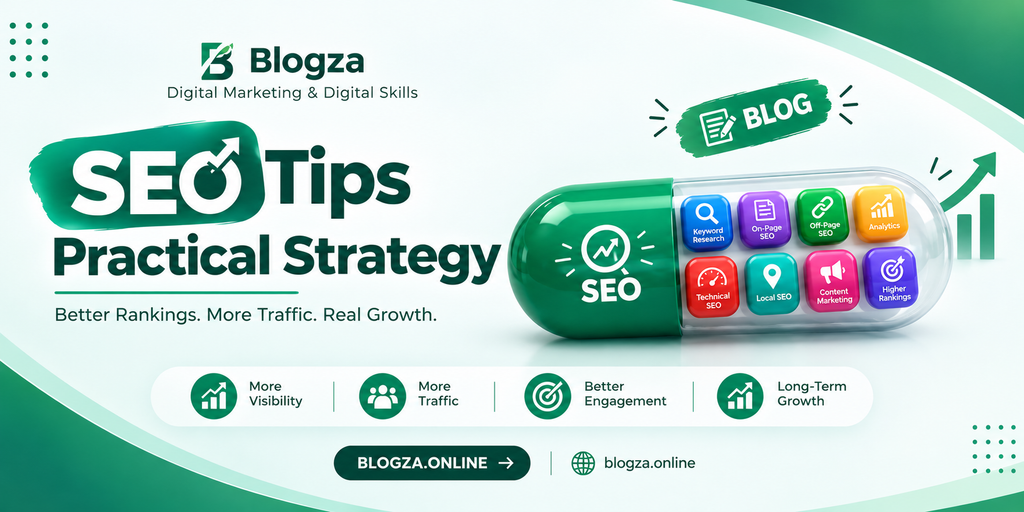
Discover practical SEO tips for keyword research, on-page optimization, technical SEO, local visibility, and AI-powered search.
Table of Contents
What Is SEO and How Does It Work?
SEO stands for Search Engine Optimization. It is the process of improving a website so search engines can discover, understand, and potentially show its pages to people searching for relevant information.
Search engines generally follow three important stages: crawling, indexing, and serving search results. Crawling involves discovering pages and fetching their content. Indexing involves analyzing and storing information about eligible pages. Serving results involves selecting and presenting relevant pages in response to a search query.
SEO supports these processes through descriptive page titles, useful content, internal links, accessible website design, and sound technical settings. However, following SEO best practices does not guarantee that every page will be indexed or appear at the top of search results. Google’s own SEO Starter Guide explains that the objective is to help search engines understand your content while making it more useful for visitors. Google for Developers+1
Why SEO Matters for Digital Growth
SEO can help a website attract relevant visitors without paying for every organic click. For a blogger, this could mean reaching people searching for a tutorial. For a small business, it could mean appearing when potential customers look for a service in their area. For an online store, it could mean helping shoppers discover specific products.
Organic search is also useful because visitors often arrive with a clear question or need. A person searching for “how to optimize a WordPress website” is looking for practical guidance, while someone searching for “WordPress SEO services” may be comparing service providers. Understanding that difference helps you create content that supports the visitor’s next step.
SEO takes time and requires ongoing maintenance, but its value can extend beyond individual visits. A well-organized website can support content marketing, brand awareness, lead generation, and customer education. Results depend on competition, content quality, website condition, and user demand, so SEO should be measured against meaningful goals rather than rankings alone.
The Best SEO Tips to Improve Your Website
Research Keywords Before Creating Content
Keyword research helps you understand the language people use when looking for information. Instead of choosing a topic based only on personal interest, investigate the questions, phrases, and problems your intended audience searches for.
Start with a broad topic, then identify more specific searches. For example, a digital skills website targeting “SEO tips” might also cover “SEO tips for beginners,” “WordPress SEO tips,” “on-page SEO checklist,” and “technical SEO basics.” These related phrases can reveal different needs, but each deserves a separate article only when it offers a genuinely distinct purpose.
Useful keyword research tools include Google Keyword Planner, Google Trends, and the queries report in Google Search Console. Third-party SEO tools can provide additional keyword estimates and competitive insights. Treat search-volume and difficulty figures as estimates rather than guarantees. Choose topics based on relevance, intent, competition, and your ability to provide a useful answer.
Match Content to Search Intent
Search intent is the reason behind a search query. Understanding it helps you decide what kind of page to create and what information readers expect.
| Search intent | Example query | Suitable content |
|---|---|---|
| Informational | What is SEO? | Beginner’s guide |
| Practical learning | How to do keyword research | Step-by-step tutorial |
| Commercial investigation | Best SEO tools for bloggers | Comparison article |
| Transactional | Hire an SEO specialist | Service or booking page |
| Navigational | Google Search Console login | Official destination or relevant help |
Before writing, examine the kinds of pages appearing for your target query. Look for common questions, missing explanations, and opportunities to provide clearer examples. Do not simply copy competing pages; use your research to understand expectations and create something more useful or specific.
For the keyword “SEO tips,” readers generally expect actionable recommendations, explanations, and examples. An article focused mainly on the history of search engines would not meet that need as effectively.
Write Helpful, Original, People-First Content
High-quality content should solve a real problem, answer the main question clearly, and provide enough context for readers to act. Avoid publishing articles that repeat information available everywhere without adding meaningful explanation, experience, evidence, or practical guidance.
For example, rather than writing only “improve your page speed,” explain how to identify oversized images, remove unnecessary plugins, use suitable caching, and test the results. Where possible, include screenshots, original examples, lessons from real projects, or clear instructions that demonstrate how the advice works.
Show readers why they should trust your information. Use accurate author details, an informative About page, relevant references, and transparent editorial practices. For subjects that change frequently, verify important claims against reliable sources and update outdated instructions.
Google’s people-first guidance emphasizes originality, usefulness, accuracy, and demonstrated expertise rather than content created mainly to manipulate search rankings. There is no universal word count that guarantees success. Google for Developers+1
Optimize Page Titles and Meta Descriptions
Your SEO title should describe the page accurately and give searchers a clear reason to visit. Place the primary keyword naturally near the beginning when it fits, but avoid awkward wording or repetitive phrases.
For example:
- Weak title: “SEO Guide”
- Better title: “SEO Tips: Practical Ways to Improve Rankings”
Write a unique title for each important page. Avoid vague titles, excessive repetition, and promises such as “Guaranteed Number One on Google.” Search engines can generate or rewrite title links using several sources, so the title you specify is not always the exact text displayed in results. Google for Developers
A meta description should summarize the page’s value in natural language. For this article, you could use: “Discover practical SEO tips for keyword research, on-page optimization, technical SEO, local visibility, and AI-powered search.”
Google may use the meta description to create a search snippet, but it can instead select text from the page. A compelling description can help people understand the content, although it is not a direct ranking guarantee.
Use Headings and a Clear Content Structure
Headings help readers navigate an article and help search engines understand its organization. Use one clear main heading (H1), followed by descriptive H2 headings for major sections and H3 headings for supporting topics.
For example, an article about WordPress SEO could use “How to Improve WordPress SEO” as its H1, with H2 sections for keyword research, page optimization, technical settings, and performance. An H3 might explain image optimization within the technical section.
Keep headings descriptive and relevant to the content beneath them. Do not add keywords to every heading simply to increase their frequency. A clear structure also makes articles easier to scan on mobile devices and helps readers locate the answer they need.
Optimize URLs, Images, and Internal Links
Use short, descriptive URLs that communicate the topic of a page. A suitable slug for this article is /seo-tips/. Avoid unnecessarily long URLs, confusing strings, or frequent changes to existing URLs without a clear reason.
Images should support the content rather than serve as decoration alone. Compress images appropriately, choose modern formats when supported, and use descriptive filenames where practical. Write alternative text (alt text) that communicates the purpose or meaningful content of an image. For a screenshot showing a WordPress SEO settings panel, suitable alt text might be “WordPress SEO settings for editing a page title and meta description.”
Internal links connect related pages on your own website. Link naturally from a general SEO guide to more detailed articles about keyword research, technical SEO, and content marketing. Use descriptive anchor text so readers know what they will find after clicking. Internal links also help search engines discover other pages on your site. Google for Developers+1
Improve Website Speed and Mobile Usability
A website should load efficiently, respond to interactions, and display content correctly on different screen sizes. Slow pages, intrusive pop-ups, broken layouts, and difficult navigation can frustrate visitors even when the content itself is excellent.
For a WordPress website, begin with practical checks: use a reliable hosting provider, select a lightweight theme, resize large images, remove plugins you do not need, and configure caching where appropriate. Avoid installing several plugins that perform the same task. Test changes individually so you can identify what actually improves performance.
Google’s Core Web Vitals measure aspects of loading performance, interactivity, and visual stability. The current metrics are Largest Contentful Paint (LCP), Interaction to Next Paint (INP), and Cumulative Layout Shift (CLS). Use PageSpeed Insights to inspect performance and identify potential improvements.
Do not treat a single performance score as a complete SEO assessment. Page experience matters, but useful content, relevance, accessibility, and other factors also contribute to the overall search experience.
Strengthen Technical SEO
Technical SEO helps search engines access and interpret your website. Even useful content may struggle to appear in search results if important pages cannot be crawled, are blocked accidentally, or have indexing problems.
Start by verifying your website in Google Search Console. Review the indexing reports and inspect important URLs. Check that your XML sitemap contains the pages you want search engines to discover and that robots.txt is not blocking resources or pages that should be accessible. A sitemap helps discovery, but it does not guarantee indexing.
Also review HTTPS, broken links, redirects, duplicate URLs, canonical tags, and mobile rendering. For larger websites, organize navigation and internal linking so important pages are accessible without unnecessarily complicated paths.
On WordPress, SEO plugins such as Yoast SEO and Rank Math can help with titles, descriptions, sitemaps, canonical settings, and other tasks. They cannot automatically resolve every technical issue, so understand what each setting does before changing it. Follow Google’s Search Essentials for foundational technical and content requirements. Google for Developers+1
Build Topic Clusters and Useful Internal Links
A topic cluster is a group of related pages organized around a broader subject. It helps readers explore a topic in depth and gives your website a clearer content structure.
For a digital marketing website, a central SEO guide could link to focused articles on keyword research, on-page SEO, technical SEO, local SEO, and SEO tools. Each supporting article should provide its own useful information and link back to the broader guide where relevant.
Do not create dozens of shallow pages simply to cover every keyword variation. Prioritize meaningful topics and consolidate overlapping articles when they serve the same purpose. Review your existing content before creating something new, because an older article may be worth improving instead of publishing a near-duplicate.
A well-planned topic cluster can also help you identify gaps in your coverage. If you have several articles explaining SEO basics but none showing how to measure performance, that missing tutorial may be more valuable than another general introduction.
Earn Relevant Backlinks Naturally
Backlinks are links from other websites to yours. Relevant links can help people discover your content and can contribute to how search engines assess pages, but not all links carry equal value. The source, context, and manner in which a link is obtained matter.
Create resources that other people may genuinely want to reference, such as original tutorials, useful checklists, expert explanations, or carefully researched comparisons. Build professional relationships, contribute thoughtful insights to relevant publications, and share your work with communities where it is useful.
Avoid buying links intended to manipulate rankings, participating in link schemes, or creating large numbers of low-quality guest posts solely for backlinks. These tactics can violate Google’s spam policies and create risks for your website.
Focus on earning relevant editorial links rather than chasing a particular backlink count. A small number of useful, contextually appropriate references may be more meaningful to your audience than many unrelated links.
Advanced SEO Strategies for Better Visibility
Use Structured Data Where It Fits
Structured data is a standardized format that describes information on a page so search engines can interpret it more easily. Depending on the content and eligibility requirements, supported markup may help a page qualify for certain enhanced search appearances.
Examples include appropriate Article, Product, Organization, and LocalBusiness structured data. Choose types that accurately describe the visible content and follow the relevant guidelines. Validate your implementation using Google’s Rich Results Test where supported.
Structured data is not a shortcut to higher rankings, and adding markup does not guarantee a rich result. Avoid marking up information that visitors cannot see or adding unsupported claims. On WordPress, SEO plugins often provide schema options, but check the generated markup for accuracy and duplicate implementations.
Optimize for Featured Snippets and Conversational Search
Featured snippets are selected search-result excerpts that aim to answer a query directly. Although website owners cannot force Google to display a featured snippet, clear explanations and well-structured information can make a page easier to understand.
When answering a question, provide a concise definition or direct response before expanding with examples and detail. Use descriptive headings, logical lists, and tables when they genuinely help explain the subject.
For example, if your article answers “What is on-page SEO?”, begin with a direct definition, then explain title tags, headings, internal links, and image optimization. This structure also helps readers using voice assistants or conversational search find the information they need.
Do not turn every paragraph into a short answer or repeat the same definition several times. The goal is to make important information accessible while preserving the depth and context readers need.
Improve Local SEO for Nearby Customers
Local SEO helps businesses become more discoverable in searches associated with a location. It is particularly useful for service providers, shops, clinics, agencies, and other businesses that serve customers in specific geographic areas.
If you manage an eligible local business, claim and maintain its Google Business Profile. Ensure the business name, address or service area, phone number, opening hours, and website information are accurate. Select relevant categories, provide useful photos, and respond professionally to customer reviews.
Create location-specific website content when it genuinely helps potential customers. For example, a web design agency serving Hyderabad, Sindh, could explain its WordPress services, typical project process, and support options for local businesses. Avoid generating near-identical pages for many cities when you cannot offer meaningful, distinct information for each location.
Local SEO works best when website information, business listings, and customer communication are consistent. Never create fake locations or fabricate reviews to appear more prominent.
Use Content Marketing and Social Media Together
SEO and social media marketing serve different purposes, but they can support the same digital marketing strategy. Search optimization helps people discover content through search engines, while social platforms can introduce it to audiences who may not have found it otherwise.
For example, publish a detailed article about keyword research, then create a short LinkedIn post explaining one useful technique, a Pinterest graphic summarizing the process, or a short video demonstrating a keyword research tool. Direct interested users to the full tutorial when appropriate.
Social engagement should not be treated as a guaranteed direct Google ranking factor. Its value lies in audience development, content distribution, brand recognition, and opportunities for relevant people to discover and reference your work.
Measure these activities separately. Track organic search clicks, social referral traffic, newsletter sign-ups, inquiries, and other outcomes that matter to your business. This helps you identify which channels contribute to your goals rather than judging every activity by likes or impressions.
SEO, AI Search, AEO, and GEO
Search experiences are evolving as people increasingly use AI-powered tools to explore topics, compare options, and find answers. SEO remains important in this environment, but creating distinctive, trustworthy information is more useful than chasing unverified optimization tricks.
What AEO and GEO Mean
Answer Engine Optimization (AEO) generally refers to making content useful and accessible for systems that provide direct answers to questions. Generative Engine Optimization (GEO) generally refers to improving the likelihood that useful content will be discovered, understood, or referenced by generative AI search experiences.
These terms are used differently across the industry, and neither represents a guaranteed ranking system. Their practical principles overlap with established SEO: answer real questions, use clear language, provide reliable information, maintain a technically accessible website, and offer value that goes beyond generic summaries.
For example, an article comparing two SEO tools should explain the differences, identify suitable use cases, describe limitations, and cite reliable documentation where needed. That is more useful than repeating a list of features without helping readers make a decision.
Create Content That AI Search Can Understand
Google’s guidance for AI Overviews and AI Mode emphasizes existing SEO fundamentals. Eligible pages must meet the relevant technical requirements for Google Search, and there are no additional special technical requirements solely for inclusion in these AI experiences. Appearance is not guaranteed. Google for Developers+1
Use descriptive headings, keep important information available as text, link related pages logically, and support explanations with useful images or videos when appropriate. Cite trustworthy sources for factual claims, and include original observations, demonstrations, or analysis that distinguish your work from generic content.
You do not need to insert a keyword into every heading, create unnecessary AI-specific files, or adopt a special schema just to target AI Overviews. Instead, publish content that genuinely helps readers understand a topic and provides a reason to visit your website.
Use AI Tools Without Sacrificing Quality
AI can help with brainstorming, organizing outlines, finding questions to investigate, editing drafts, and identifying gaps in an explanation. It can also produce inaccurate claims, outdated recommendations, repetitive text, or examples that sound convincing but have never been verified.
A responsible workflow combines AI assistance with human judgment. Verify factual statements, consult primary sources, remove unnecessary repetition, and add practical experience or analysis. If you use AI to produce content at scale without meaningful review or added value, you risk creating pages that fail to help readers and may violate Google’s spam policies. Google for Developers+1
Use AI to make your work more efficient, not to replace subject knowledge. A carefully reviewed article that answers a specific question is more useful than dozens of automatically generated pages covering nearly identical topics.
Best SEO Tools for Beginners
You do not need to purchase every SEO tool to get started. Begin with tools that answer specific questions about your website, then add paid options if their additional features justify the cost.
| SEO tool | Main purpose |
|---|---|
| Google Search Console | Monitor search performance, indexing, and queries |
| Google Analytics | Understand website traffic and user activity |
| Google Trends | Explore interest in topics over time |
| PageSpeed Insights | Assess page performance and identify issues |
| Google Keyword Planner | Research keyword ideas and advertising estimates |
| Rank Math | Manage SEO settings on WordPress |
| Yoast SEO | Support WordPress on-page optimization |
Start by verifying your site in Search Console and reviewing which pages receive impressions and clicks. Use PageSpeed Insights when you suspect performance issues, and use an SEO plugin to manage relevant WordPress settings. If you later need competitor research, larger keyword databases, or backlink analysis, evaluate established third-party platforms based on your budget and actual workflow.
Remember that tools provide data and recommendations, not automatic success. Interpret their findings in the context of your audience, website, and business goals.
Common SEO Mistakes to Avoid
Even a well-designed SEO strategy can be undermined by avoidable mistakes. Watch for these problems:
- Keyword stuffing: Repeating the same phrase unnaturally instead of writing clearly.
- Duplicate or thin content: Publishing pages that add little new value or overlap unnecessarily.
- Ignoring search intent: Creating an article when searchers need a product page, tutorial, or service page.
- Neglecting technical issues: Accidentally blocking important pages, breaking links, or misconfiguring canonical tags.
- Buying manipulative backlinks: Pursuing links primarily to influence rankings rather than provide genuine value.
- Publishing unverified AI content: Allowing incorrect claims and generic explanations to reach readers.
- Ignoring existing content: Failing to improve useful pages that have become outdated or inaccurate.
- Expecting instant results: Treating SEO as a one-time task instead of a continuing process.
A useful way to avoid these mistakes is to establish a simple review routine. Before publishing, check whether the page answers the intended question, contains accurate information, links to relevant resources, works on mobile, and can be accessed by search engines. After publication, review performance and improve the page when evidence shows that something is missing or unclear.
How to Measure SEO Performance
Rankings are only one part of SEO performance. A page might move up in search results without producing meaningful business outcomes, while another page could attract fewer visitors but generate more relevant inquiries.
Use Google Search Console to monitor impressions, clicks, click-through rate, average position, search queries, and indexing issues. Use Google Analytics or another suitable analytics platform to understand how visitors interact with your website and whether they complete meaningful actions.
For a digital skills blog, useful outcomes might include organic traffic to tutorials, newsletter subscriptions, or visits to related learning resources. For a WordPress service website, track relevant contact-form submissions, qualified inquiries, and service-page engagement.
Compare performance over meaningful periods and investigate changes rather than assuming every increase or decline has the same cause. Search demand, competition, seasonality, technical problems, and changes in search-result layouts can all affect results.
Create a manageable monthly review: identify pages gaining visibility, pages losing clicks, unanswered search queries, and technical issues that need attention. Then prioritize the changes most likely to improve usefulness and business outcomes.
Latest SEO Trends and Priorities
SEO continues to evolve, but the most reliable priorities remain surprisingly practical: useful content, accessible websites, relevant information, and a good experience for visitors. Google’s May 2026 guidance on generative AI search reinforces the importance of distinctive, valuable content and established SEO practices rather than supposed AI-ranking hacks. Google for Developers+1
Several areas deserve attention:
- AI-powered search: Understand how AI Overviews, AI Mode, and other answer-oriented experiences affect how people discover information.
- Content originality: Publish useful examples, expert analysis, demonstrations, and insights that go beyond what generic summaries provide.
- Search intent: Answer the actual question behind a query instead of focusing exclusively on keyword placement.
- Multimedia optimization: Make meaningful images and videos accessible, descriptive, and relevant to the page.
- First-party performance data: Use Search Console and analytics to make decisions based on actual results.
- Responsible AI use: Review AI-assisted content for accuracy, usefulness, originality, and compliance with search policies.
You do not need to chase every emerging marketing term. Choose developments that genuinely help your audience and fit your website’s goals.
Frequently Asked Questions About SEO Tips
What are the best SEO tips for beginners?
Start with keyword research, understand search intent, create helpful content, optimize page titles and headings, add relevant internal links, and ensure that search engines can access your pages. Set up Google Search Console to monitor performance and identify indexing issues. Focus on improving a few important pages before expanding your strategy.
How long does SEO take to show results?
SEO has no fixed timeline. Some changes can be processed relatively quickly, while meaningful improvements in visibility may take weeks or months. Results depend on competition, website history, crawling and indexing, content quality, and other factors. Measure progress over time instead of expecting immediate rankings.
Is SEO free?
You can perform many SEO activities without paying for tools, including writing content, using Google Search Console, checking page performance, and improving internal links. However, SEO still requires time and effort. Hosting, professional assistance, premium tools, content production, and website development may involve costs.
Can I do SEO on a WordPress website without coding?
Yes. WordPress themes and plugins such as Rank Math and Yoast SEO make many common SEO tasks accessible through dashboard settings. You can edit titles, descriptions, and other page-level settings without writing code. However, more complex technical problems may require developer assistance.
How do I find the right keywords for my website?
Start with your audience’s questions and problems. Use Google autocomplete, related searches, Google Trends, Keyword Planner, and Search Console data where available. Evaluate search intent, relevance, competition, and whether your website can provide a strong answer. Select keywords based on usefulness rather than search volume alone.
Does AI-generated content hurt SEO?
AI-generated content is not automatically against Google’s policies. What matters is whether the content is helpful, reliable, original, and created for people. Using automation to produce large amounts of low-value content intended to manipulate rankings can violate spam policies. Review AI-assisted material carefully and add meaningful expertise or original value.
What is the difference between SEO, AEO, and GEO?
SEO focuses on improving a website’s visibility in search engines. AEO generally focuses on making information useful for direct-answer systems, while GEO generally concerns visibility in generative AI experiences. Their practices overlap substantially, including clear explanations, relevant content, technical accessibility, and trustworthy information. None guarantees inclusion in a particular answer or result.
How can I check whether my SEO is working?
Use Google Search Console to examine impressions, clicks, queries, click-through rate, and average position. Use an analytics tool to measure relevant visitor behavior and conversions. Compare trends over time, inspect pages that gain or lose visibility, and prioritize improvements based on evidence rather than isolated ranking changes.
Conclusion: Turn These SEO Tips Into a Practical Strategy
Successful SEO is not about finding a secret formula. It is about helping the right people discover useful information and making it easy for search engines to understand your website.
Start by researching your audience, selecting relevant keywords, and publishing original content that answers real questions. Improve titles, headings, internal links, mobile usability, and technical accessibility. Then use Search Console and analytics to understand what works and where your website needs attention.
As AI-powered search continues to develop, focus on creating distinctive, trustworthy information rather than chasing shortcuts. The same principles that help people understand and trust your content can also support visibility across traditional search and newer discovery experiences.
Your next step: Choose one important page on your website, check its search intent and technical accessibility, improve its content, and measure its performance. Repeat this process consistently to build a stronger, more useful website over time.


[…] files, and manage firewall protections. It supports website security rather than proving whether a negative SEO attack has […]
[…] example, someone searching for “how to become a content writer” probably wants a beginner-friendly guide with steps, skills, and career advice. A page that […]